Steam Machine Live Journal

So my Steam Machine is finally in hand after spending a few weeks with @EposVox for the review. (Video and thread here: Why would you EVER buy a console again? Steam Machine Review (Console & PC Gamer POV) ) Most of my first impressions align with his review but I want to put down some thoughts of my own and I’ll likely put together some kind of text review myself.

That said I’m going to publicly journal my thoughts after each session here before I go back and try to turn all this into some kinda review.

So, right off the rip I gotta say Valve really knows how to make regular cardboard feel special. I can tell there is a lot of effort put into making all this as sustainably as possible but they still manage to make all their products feel like a spectacle when you open them up. The cute designs on the boxes, the way everything opens up to you and displays to you. I don’t want to gush too much about cardboard here but its part of what makes this console feel so special.

Starting the console up I would highly recommend using the HDMI cable that comes with the unit as the other HDMI cables I had in my media center already were not playing nice as far as handshakes go. I don’t think there’s anything wrong there as I went on to play the steam machine for a few hours just that if you plug yours in and it shows no image with a pulsing blue light bar: power down and use the HDMI that came with the unit.

There was about 30 minutes spent getting everything logged in and updates flowing and after that I was ready to start installing games. I tried the following titles last night:

  • Jotunslayer
  • Marvel Cosmic Invasion
  • How Many Dudes
  • Warhammer 40k Chaos Gate: Daemonhunters

I also installed but did not have time to get to:

  • Final Fantasy 7 Rebirth
  • Gears Tactics
  • Baldurs Gate 3

It’ll probably come as no surprise that games like Cosmic Invasion and How Many Dudes run great given these are pretty casual 2d games but I used this as an opportunity to also test out the clipping features on the Steam Machine. Using the default configuration I’m able to hold a cache of about 120 minutes and I configured the clip shortcut to grab the last 60 seconds. About half way through setting that up I had wondered how I was going to get this clip off the Steam Machine only to be surprised by the ability to send clips directly to my phone via the Steam app.
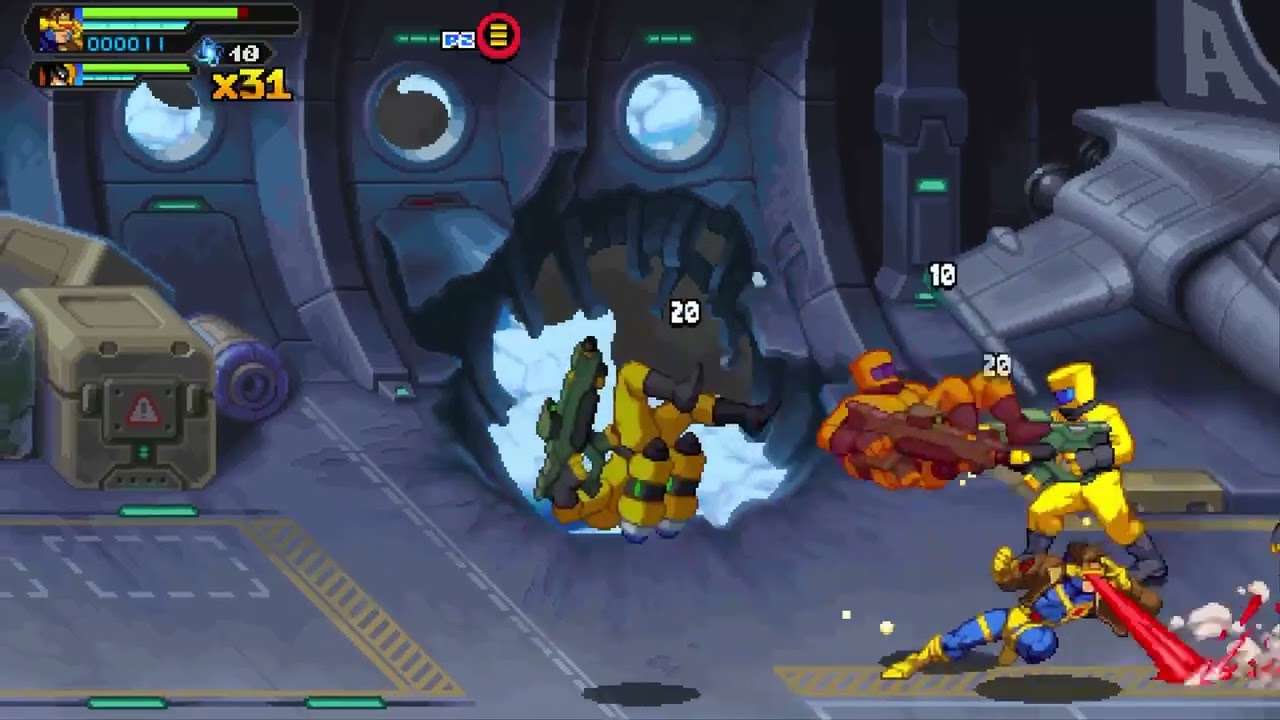
Quality is obviously a bit degraded when you do this but in a pinch if you just want to send a cool clip to someone this is very well done and pretty seamless. There’s also nothing stopping you from transferring the full quality clip to an external drive if you want/need it.

It did not take long before I was up to my old BS again as I quickly found myself diving deep back into Jotunslayer now that I can play my main save again but this time in the living room.
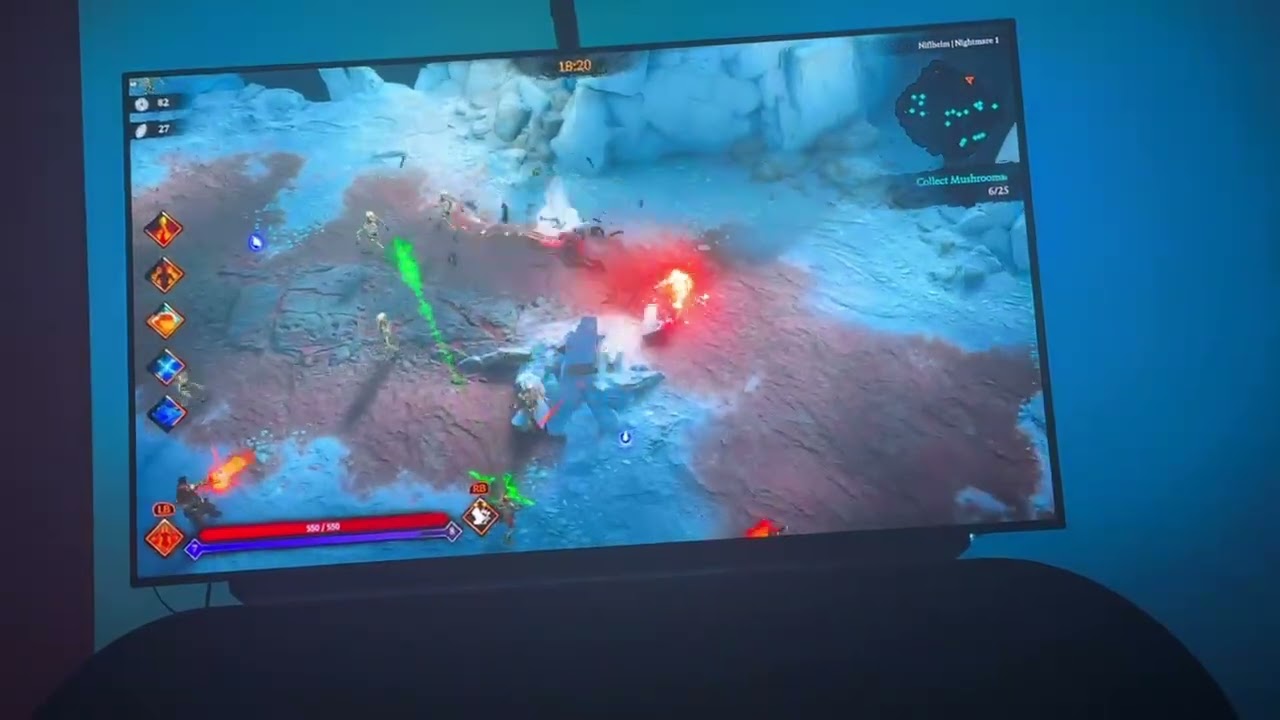
This also is a decent opportunity to shout out the pretty solid media player integration that is here. Obviously Jotunslayer does not by default use the God of War: Ragnarok soundtrack but since it was included in my purchase of that game it just automatically shows up in media player section. My only complaint is I wish I could stream these albums rather than dedicate precious SSD space but this is something I will hopefully resolve soon with an added microsd card and external SSD.

Jotunslayer ran fantastic with no frame drops and I honestly felt like I could dial it up to native 4k if I wanted but I kept almost everything I played at 1440p and scaled that to 4k @ high settings. I gotta say coming from the Switch 2 version, which I have been playing for the past week or so, this is really just a stellar experience by comparison. (Context: Switch 2 port is 1080p30 and it doesn’t really hold that 30fps at all.)

The last game I tried was also quite heavy and that was Warhammer 40k Chaos Gate. I love a good tactics game be it XCOM, FF Tactics, Midnight Suns, or Gears Tactics I love them all. And I was surprised to discover that someone had made a tactics 40k game and even more surprised that I’d never heard of it. Built on the unity engine this 2022 tactics game looks and runs fantastic. Highly detailed models and maps, tons of blood and particle effects, really slick looking real time cutscenes, all accompanied by great voice acting and music. I again ran everything at 1440p scaled to 4k but I did notice some frame instability as the game defaulted me to the highest graphics settings. I turned down texture settings to medium as well as Far Clip Distance and Debris. I saw no noticeable change in visual fidelity and that was enough to lock everything to 60fps.

I spent about 4 hours with the Steam Machine in my initial time with it and came away thoroughly impressed. That said though the next couple of games I’ve lined up to test on it are ones that I’ve been dying to get back to and have been waiting for this little cube of magic to arrive to do so.

That’s all for now, will be back.

:clinking_beer_mugs:

4 Likes

Very excited to see where this goes.

1 Like

Very interesting to read this already, and also nice to read that you’ve enjoyed your time with it so far! I’m curious to know what other games you’re about to play on it and how they perform. Are you planning on playing any non-Steam games as well?

1 Like

Fun timing: RetroArch is now on Steam and Deck Verified. You’d still need desktop mode for moving in BIOS and ROMs and such, but hey it’s something.
RetroArch on Steam

1 Like

Day 2 Update:

Spent time playing Baldurs Gate 3 and Final Fantasy 7 Rebirth last night and this morning.

We’ll start with the good first:

Baldurs Gate 3 ran with high settings @ 1440p60 scaled up to 4k. I was also using FSR in the quality mode though I tried it both with and without and did not notice any performance change. I played the opening hours of the game and for nearly all of it framerate remained locked to 60fps and it looked as clean and sharp as it does on my main PC rig.

Just for context I’m comparing against my main PC and the PS5 Pro as far as visuals and performance are concerned.

Main PC Specs:

  • 4080 Super
  • AMD 7950x3D
  • 64gb DDR5

Only performance hiccups I saw were exclusively in cutscenes and it was barely a 1-3fps drop.

Unfortunately Final Fantasy 7 Rebirth did not fair as well. I’ve got a save with about 130 hours on it and I’m much later in the game. I’ve tried a bunch of different configurations to make this game run a bit better but unfortunately I think this is actually an issue with the game and something Square Enix is going to have to address. To put it simply: this game has a severe VRAM usage issue in that if you have less than 10gb of VRAM available it will not run well. You may not notice it right away either as the opening sections of the game are a bit more bare but as soon as you get into any of the major hub areas or in the open sections it becomes very apparent.

In my current save I’m in Cosmo Canyon and I can’t take more than a few steps before I see intense framerate stutter. Now I also have my old living room PC to compare against which previously had a 2070super in it but I upgraded it to a 5060. Both of these cards have less than 10gb of vram and both showcased the same issues I described above. The only difference is with the 5060 I was able to achieve locked playable 60fps by setting texture resolution to low. All other settings could be set at anything else up to high but textures had to be on low settings. The only caveat to this is there was still shader compilation stutter and frame drops present.

It would be so easy to just say this is because the Steam Machine is underpowered but I really don’t think that’s the case. Even on my main PC which should be more than capable of running this game fully maxed out in native 4k experienced intense shader compilation stutter and framerate drops in bigger hub areas. My main PC has literally double the VRAM available to it and experiences the same issues. So with that said I’m confident this is something Square Enix needs to address with an update.

Just comparing visual fidelity to the other platforms I have the game on I’d put this somewhere between the PS5 Pro and a higher end PC. Steam Machine produces a very clean and crisp image, but its really just the weird performance issues that drag the experience down. I’m going to explore some modder created performance tweaks to try and clean up the experience a bit but I may be taking this playthrough back to the PS5 Pro until Square Enix fixes the PC port of this game.

So one genuine surprise with BG3 and one confirmation of what I kinda already knew with FF7Rebirth. Gonna sink some time into BG3 heading into this weekend and might finally get back to DBZ: Kakarot.

That’s all for now, more to come.

:clinking_beer_mugs:

1 Like

Day 3ish update:

Ok so this next update brings with it my first honest to goodness bit of friction with this thing. But I’m happy to say it is more on the game dev for the specific game I’m about to talk about and not actually on Valve.

So wednesday night I was playing FF7 Rebirth and the game just randomly stopped reading all inputs. All aspects of steam worked fine, I could bring up the overlay just fine, exit/launch titles, access all settings, but as soon as I’d get in game FF7 Rebirth would not register input. Looking online this seems to be a new bug that was introduced with the latest update where the game has trouble detecting and switching to whatever input you are using.

Mouse and keyboard always works, but controller input might disconnect and never reconnect.

I tried every solution I found online including:

  • Trying Xbox, DS4, DS5, and Nintendo Pro controllers all of which work in steam and work in every game but did not work in FF7 Rebirth.
  • Switching to the steam beta branch
  • Switching back to the stable branch
  • Unpairing my controller and repairing it.
  • Connecting it with a cable
  • Upgrading the firmware
  • Forcing steam input
  • Disabling steam input
  • Rebooting

And the last thing I was going to try was reinstalling the game which I really didn’t want to do since it’s like 130 gigs and I’m trying to play tonight. So what did work?

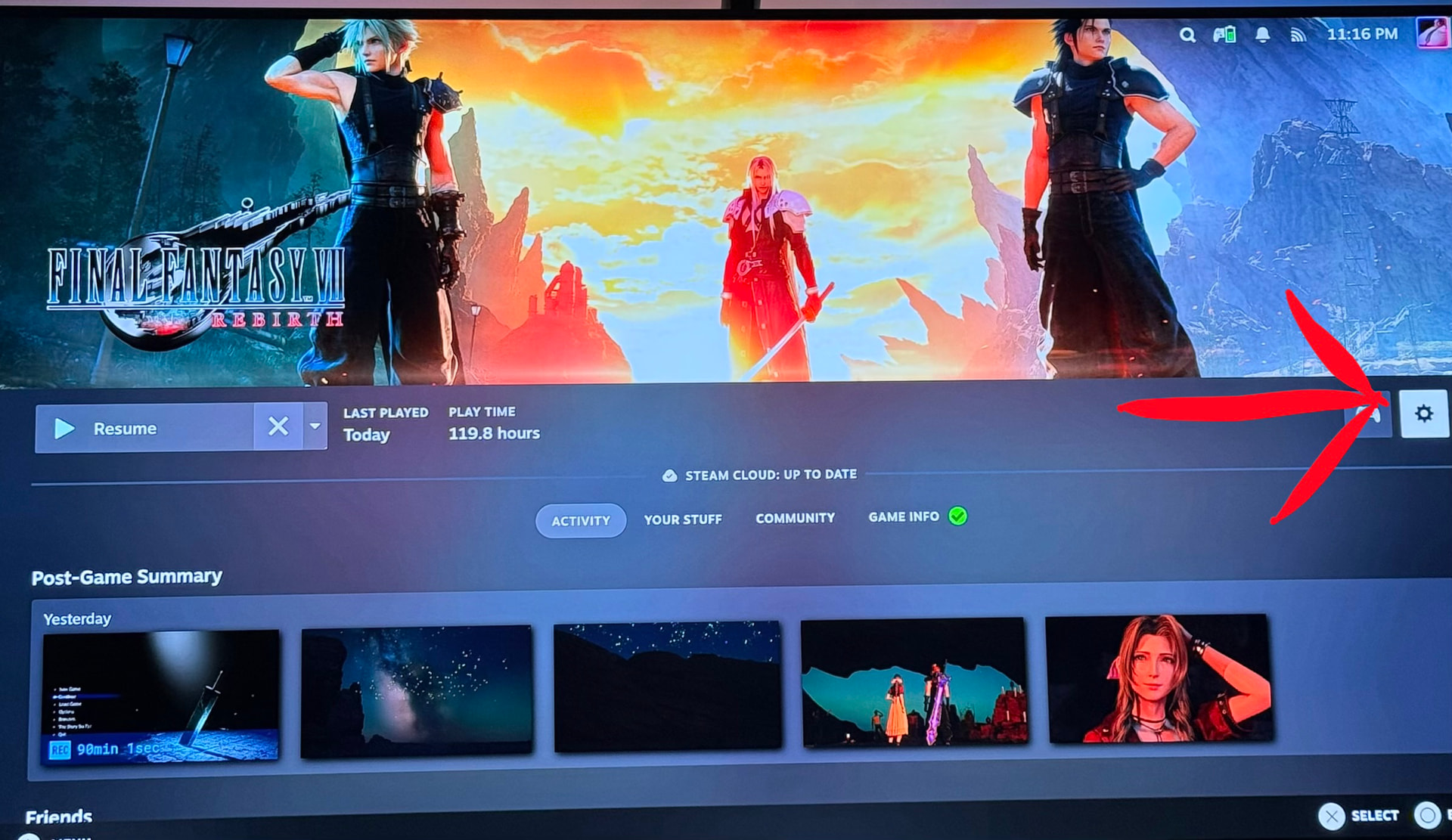
In the game specific steam settings, which can be found by clicking the cog on the game screen shown below:

Select “Properties” > Go to controller settings > disable steam input on this game specifically.

Then use literally any other controller than the steam controller. Yes this solution is kind of a bummer because I really enjoy how the steam controller feels but the alternative is this game just straight up doesn’t work. I find this work around to be completely unacceptable on Square Enix’s part and I’m honestly kinda shocked such a popular game is in this state on PC. Hopefully Square Enix releases an update addressing this soon.

The other thing that didn’t click to me until tonight was what the steam internal render resolution setting was actually doing. At a glance it looks like you are setting your console to run in 1080p but what its actually saying and doing is it is a setting for the internal render resolution that Steam Machine will then upscale to your displays native resolution. So while the game is technically running at 1080p internally the final rendered output is a crisp 4K (or 1440p if that’s all you have) image that both looks and plays great. Having access to this game on both P55 Pro and on my main PC I went and took a look at both just to refresh my memory. PS5 Pro and my main PC both turn in the results you’d expect: a great looking game. But where the PS5 Pro version fails a little is there is a very noticeable sharpening filter applied over the image that doesn’t look great. But aside from that the frame rate is rock solid and this game running on a 4080 super is about as good as you’d expect.

I say all this because prior to discovering these menus this game ran absolutely horrid for me. And I found this confusing given the amount of videos showing it running at 1440p and above at 60fps on high settings. FF7 Rebirth notoriously has a memory issue where GPU’s with 10gb of VRAM or less just run exceptionally poorly requiring you to bump texture resolution down to low. But here is steam machine running the game mostly maxed out and really the only setting that needed to be changed was the internal render resolution.

[edit]

Hey so I forgot there was one other thing: I disabled steams capture function while playing this game. I think FF7 Rebirth might be right on the performance line where it is just barely holding 60fps and Steam Machine can’t really handle much else in the background. Thought this was a CPU limitation but after talking to Addie it might be a GPU one. Either way: save yourself about 10fps and disable background recording while playing FF7 Rebirth.

[edit]

I think that most people who read through the spec sheet and maybe even saw these menus just fundamentally did not understand what was being stated and what these settings do which has forced this really toxic discourse around this things specs. People who have never tried it/wont try it and folks that just want to hate for hates sake despite the fact that they’ll happily use FSR/DLSS/PSSR in other games as if that’s not literally the same thing.

Anyway I’m back to my run in FF7 Rebirth at this point via the DS5 and enjoying myself but man I wish Square was better about their PC ports. I hope they fix this game, but I will probably be done with it by the time they do.

That’s all for now, more to come.

:clinking_beer_mugs:

1 Like